


Quick Answer
If you’re looking for a site to unblock websites, a browser-based web proxy can be convenient for occasional access to public pages without installing software. However, free web proxies may have limitations in website compatibility, server locations, and session stability. For more stable website access, you can choose FlashIP, which offers clean, high-quality proxy IPs from a pool of 90M+ IPs across 195+ countries and regions, helping users maintain reliable connections to websites.
Web proxy sites compared at a glance
The table distinguishes disclosed or advertised characteristics from details that are not clearly stated. Provider claims should not be treated as independently verified guarantees.
| Web proxy | Browser access and setup | Connection and logging disclosures | IP, location, and session details | Compatibility information |
|---|---|---|---|---|
| SiteProxy | Advertises browser-based access without a download or registration | States that connections to its service use HTTPS/TLS. Says it does not store browsing history but may retain brief technical logs for abuse prevention | States that supported browser requests within the proxy session pass through its infrastructure. Specific IP type, available locations, and rotation controls are not clearly stated | Acknowledges that some websites or features may not be compatible |
| BlockAway | Presented as a web proxy; installation and registration requirements should be confirmed before use | Describes the proxy as an intermediary between the user and destination website. Specific HTTPS, logging, and retention details are not clearly stated here | IP type, location selection, persistence, and rotation controls are not clearly stated | Detailed support for logins, media, scripts, and other interactive features is not clearly stated |
| TrickyBird | Included as a web proxy option; setup and registration requirements are not clearly stated | HTTPS, operator identity, logging, and retention disclosures should be checked | Location choices, IP characteristics, and session controls are not clearly stated | Compatibility details are not clearly stated |
| IPFighter | Included as a web proxy option; confirm its current browser workflow and any setup requirements | Connection-security and logging disclosures are not clearly stated | IP type, location precision, rotation, and session persistence are not clearly stated | Support for scripts, media, logins, and interactive sites should be confirmed |
This is especially important for logging, ownership, server locations, IP type, and data retention.
What Does a Site Unblocker Do?
A web proxy acts as an intermediary between you and a website. Simply enter the website URL into the proxy page, and the proxy server will request the content on your behalf. The destination website may see the proxy server’s IP address instead of your own.
However, a browser-based web proxy typically only handles traffic within its own browsing session. It does not automatically protect other browser tabs, applications, or your entire device.
While HTTPS can encrypt the connection between your browser and the proxy, it does not guarantee complete privacy. The proxy provider may still process or log certain information, so avoid entering passwords, payment details, or other sensitive data when using unfamiliar free proxies.

How to choose a site to unblock sites safely
Privacy and operator checks
Before using a free web proxy, check who operates the service and whether it provides a clear privacy policy. Look for information about data collection, logging practices, and how long user data may be stored.
Location and session controls
If you want to access websites from a specific country, choose a proxy that offers servers in your target location. Also, check whether the proxy can maintain the same IP address throughout your browsing session.
Frequent IP changes may interrupt website access, trigger CAPTCHAs, or require you to log in again. For tasks that need consistent connections, look for proxies with stable IPs or sticky session support.
Compatibility warning signs
Not every web proxy works with every website. Simple public pages usually load more easily, while websites requiring logins, streaming, advanced JavaScript, or interactive features may not work properly.
Test the proxy with a public website first. If it requires you to install unknown software, browser extensions, or security certificates, avoid using it.
Free Web Proxy vs. Professional Proxy: Which Should You Choose?
A free proxy site may be adequate when you need to read a low-risk public page once and cannot install software. It is less suitable when you need reliable access across multiple applications or plan to transmit sensitive information. Free proxy sites often have limited server locations, unstable connections, and fewer options for managing IP addresses.
For users who need consistent website access, specific country locations, or repeated browsing sessions, professional proxy services are often more suitable. They typically offer a wider selection of IP addresses, more precise location targeting, and better control over IP rotation and session stability.
FlashIP offers clean, high-quality proxy IPs from a pool of 90M+ IPs across 195+ countries and regions. With residential, mobile, ISP, and datacenter proxies, plus rotating IP and sticky session options, FlashIP supports regional website access, ad verification, e-commerce monitoring, and public web data collection.
Unlike free web proxy sites, FlashIP requires proxy configuration but provides greater flexibility and control over IP selection and session stability.
How to Use FlashIP Proxies with a Browser
You can combine FlashIP with the FlashID anti-detect browser to create an independent browser environment with a proxy IP from your preferred location.
- Get a FlashIP proxy. Visit FlashIP and choose a residential proxy in your target country, such as the United States or Japan.
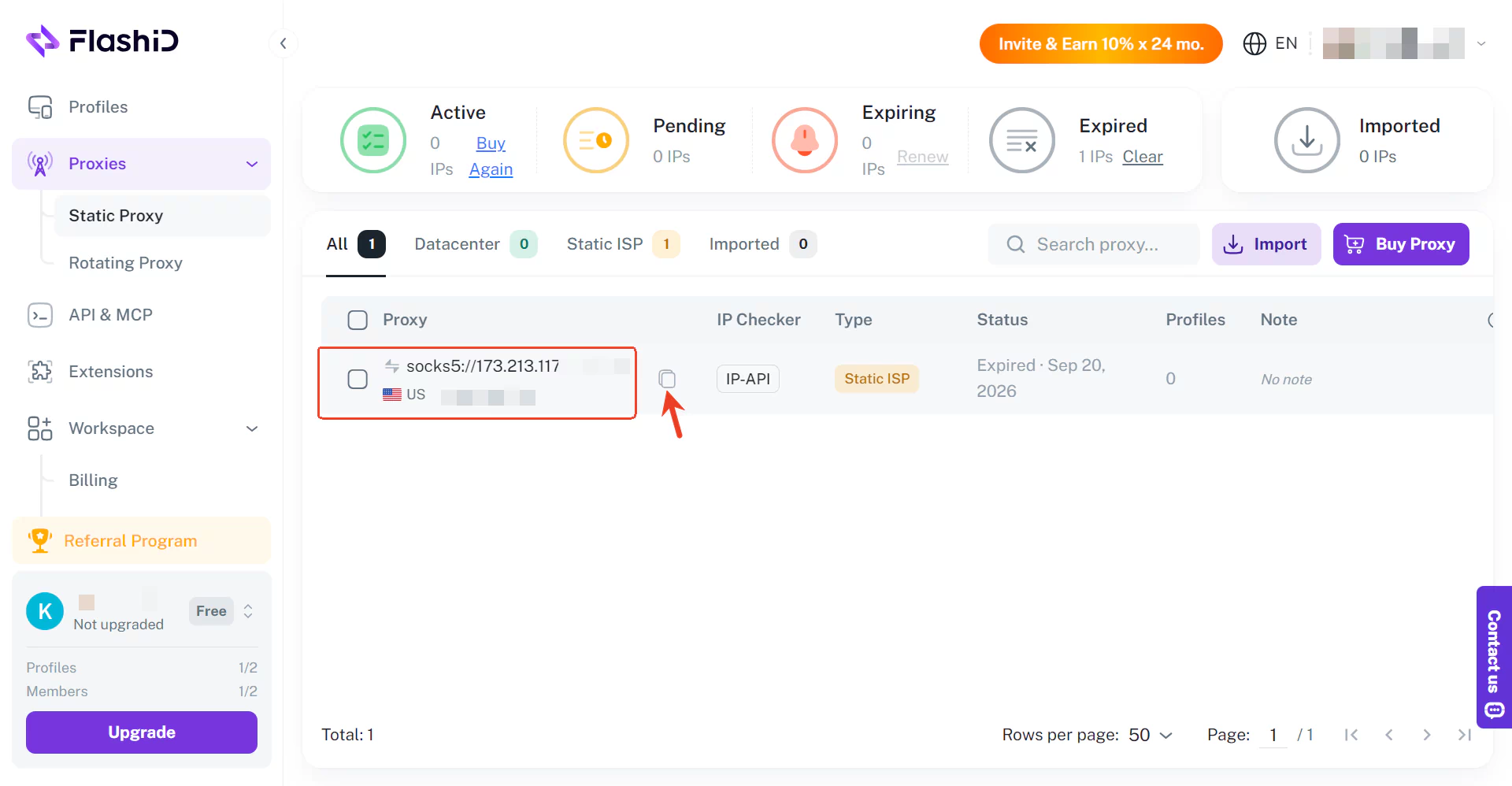
- Create a FlashID browser profile. Open FlashID and create a new browser profile to keep your browsing environment, cookies, and settings separate.
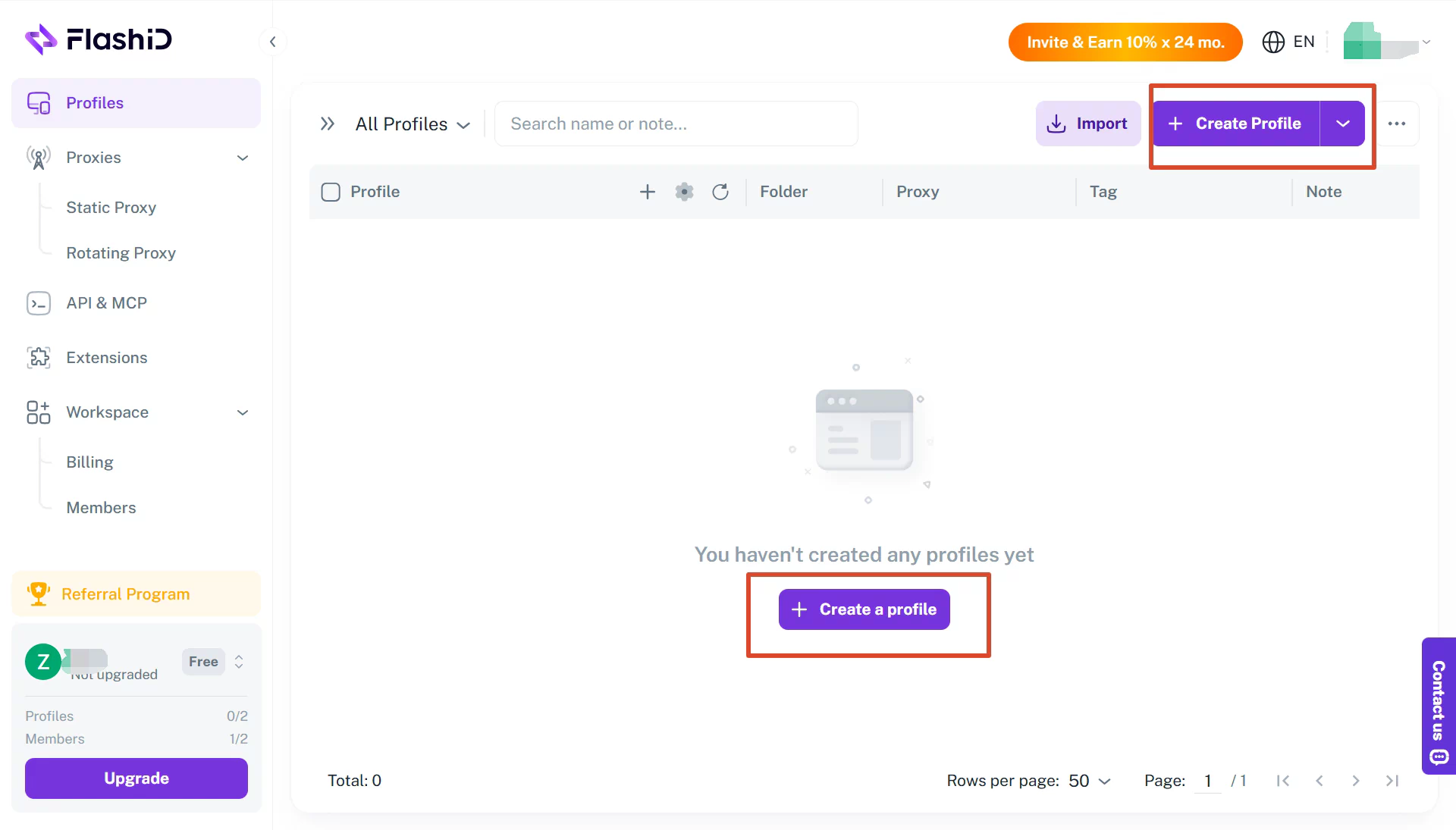
- Configure the proxy. Add your FlashIP proxy details to the new profile, including the proxy address, port, and authentication information.
- Launch and test access. Start the browser profile, check your IP address and location, then open your target website to test access.
For websites that require longer browsing sessions, consider using FlashIP’s sticky sessions to maintain a consistent IP address and reduce unnecessary connection interruptions.
Start using FlashIP stable proxy solution
Why Is a Proxy Site Not Working? Common Problems and Fixes
1. The Proxy Site Is Blocked
Some school, workplace, or public networks restrict proxy websites. If the proxy page won’t open, check whether the service is available or contact your network administrator for authorized access.
2. The Website Won’t Load Through the Proxy
Some websites use JavaScript, cookies, or login systems that free proxies may not fully support. Try loading a simple public page first. For more complex websites, consider using a professional proxy configured directly in your browser.
3. The Website Blocks the Proxy IP
Some websites block known proxy IPs or trigger CAPTCHAs. Using high-quality proxy IPs and stable sessions may help reduce access interruptions, but cannot guarantee access to every website.
4. The Proxy Connection Is Slow
Slow connections may result from server overload, distance, or network issues. Try switching server locations, checking your internet connection, or using a more stable proxy service.
FAQ
Can I Unblock Websites Without Downloading Software?
Yes. Browser-based web proxies let you enter a website URL and access supported content directly through the proxy page, without installing additional software. However, some websites may not load correctly due to compatibility or network restrictions.
Are Free Proxy Sites Safe to Use?
Free proxy sites can be suitable for browsing non-sensitive public content, but their security and privacy practices vary. Choose services with clear privacy policies and HTTPS connections, and avoid entering passwords or payment information.
What Is the Difference Between a Free Web Proxy and a Residential Proxy?
A free web proxy typically works through a website where you enter a URL, while a residential proxy uses an IP address associated with a residential internet connection and usually requires configuration. Residential proxies can offer more flexible location selection and session management, making them useful for regional website testing and ongoing browsing tasks.
Is a Web Proxy Better Than a VPN for Unblocking Websites?
It depends on your needs. A web proxy is convenient for occasional access to public webpages without installing software, while a VPN generally routes configured device traffic through an encrypted connection. Neither guarantees access to every website.
If you want to learn more about their differences and which option best suits your needs, read our guide: VPN vs. Proxy: Why Enterprises Choose Proxy IPs.
Why Do Some Websites Still Block Proxy Users?
Websites may restrict known proxy IP addresses, detect unusual traffic patterns, or require additional verification. Even with a working proxy, CAPTCHAs, login restrictions, or access errors can still occur.
Can I Choose a Different Country When Using a Proxy Site?
Some proxy sites offer server location options, allowing you to browse through an IP address associated with another country. However, free proxies may have limited locations. Professional proxy services generally provide more geographic options.