


Key Takeaways
- Save the exact message shown when you sign in.
- Check whether the whole account or only one Google service is affected.
- Use Google’s appeal process for personal accounts. For work or school accounts, contact the administrator.
- Keep your appeal short and factual. Some violations allow only two reviews.
- Changing your password, proxy, or browser profile will not reverse a disabled-account decision.
- For recurring account access, FlashIP offers stable IP options for a more consistent connection.
First, Confirm What Has Been Disabled
Several sign-in problems can look similar. Identifying the type of restriction prevents you from using the wrong form or repeating steps that cannot resolve the issue.
| What you see | What it may mean | First action |
|---|---|---|
| Google says the account is disabled or redirects you to the disabled-account help page | The entire Google Account may be unavailable | Save the message and use the appeal option shown during sign-in |
| Only Gmail, YouTube, Ads, or another service is restricted | A product-specific policy or service restriction may apply | Review the notice and the appeal process for that product |
| Google asks you to verify your identity after unusual activity | This may be a login challenge rather than a disabled-account decision | Complete the account recovery or verification process |
| The password is rejected without a disabled-account notice | This may be a credential or recovery issue | Use Google’s account recovery flow |
| A work or school account says it was suspended by an administrator | The organization may control the restriction | Contact the organization’s administrator or IT support team |
Use a browser to sign in through Google’s official account page and read the full explanation. Avoid third-party “recovery” services that ask for your password, verification codes, or payment in exchange for guaranteed restoration.
Official resource: Google Account Help: Your account is disabled
Personal Account or Work and School Account?
The account owner determines the correct recovery path.
Personal Google Account
If you own the account, sign in through Google’s official flow and select Start Appeal when that option appears. Follow the instructions attached to the affected account instead of searching for unrelated appeal forms.
Work or School Google Account
A Google Workspace administrator can suspend an account, and Google may also flag managed accounts for suspicious activity. Ask the administrator or internal support team to check:
- Whether the user account is suspended or restricted.
- Whether there were recent login or security alerts.
- Whether an organization-level policy affected access.
- Whether the account needs an administrator-led recovery or escalation.
Explain whether the whole account is unavailable or only one workplace service is affected. That distinction can change the administrator’s investigation.
Match the Message to the Correct Next Step
The wording on the sign-in screen matters more than assumptions about what happened. Use the closest matching path below.
The Message Mentions a Policy or Terms Violation
Use the appeal option shown for the account. State why you believe the decision may be mistaken and include relevant, verifiable context. Do not guess at an accusation that Google did not make, and do not submit fabricated details.
If the first appeal is rejected and Google allows another review, use the second submission to provide material information that was missing from the first. Repeating the same text is unlikely to help.
The Message Mentions Suspicious Activity or Possible Compromise
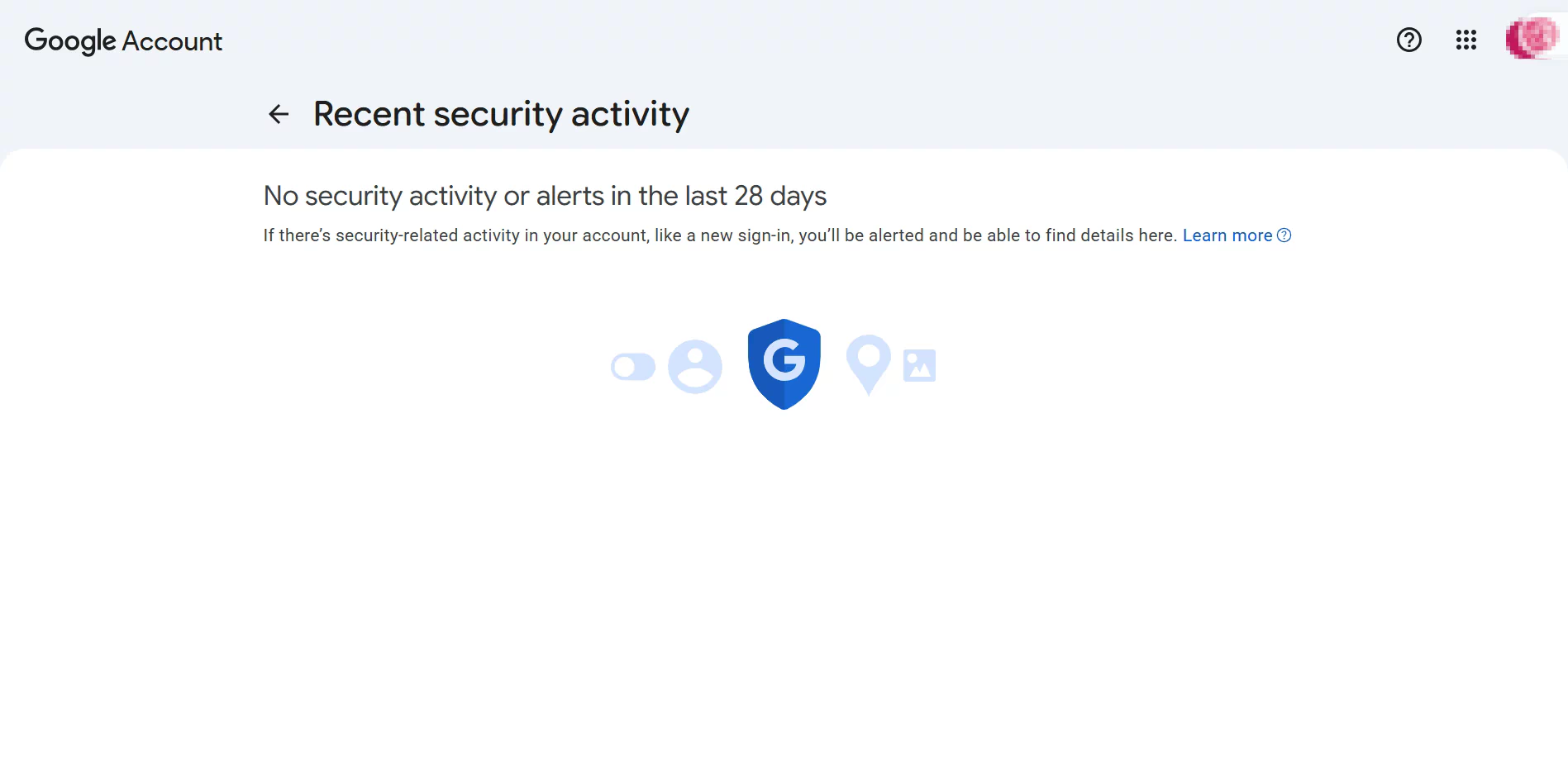
Follow the security or account recovery instructions displayed by Google. Be prepared to confirm information connected to the account and review recent security alerts, devices, recovery details, and authorized applications.
A password change may be necessary if credentials were exposed. However, changing the password alone does not overturn a separate account-level enforcement decision.
No Appeal or Recovery Option Appears
Confirm that you are signing in to the correct account through an official Google page. Save a screenshot of the complete message and note whether the account is managed by an organization.
Do not assume that repeated submissions through unrelated forms will create a valid review path. If Google provides a data-download option, consider preserving the available data while you assess the notice.
Why Google May Disable an Account
Google states that accounts are usually disabled when the owner has not followed its policies or terms. The official list is extensive, but the common reasons can be grouped into several categories.
| Category | What it may involve |
|---|---|
| Account theft or unauthorized access | Someone signs in to or uses an account without the owner’s permission |
| Spam and automated abuse | Unwanted bulk messages, automated calls, bot-created accounts, or repetitive activity |
| Deceptive or harmful behavior | Phishing, malware, impersonation, false identities, or attempts to interfere with other systems |
| Product or content policy violations | Violations of Google’s Terms of Service, YouTube Community Guidelines, Workspace policies, or other product-specific rules |
| Abuse across multiple accounts | Creating or using multiple accounts to violate policies or repeat prohibited activity |
| Legal or compliance requirements | Court orders, valid legal requests, export controls, or sanctions requirements |
Having more than one Google Account is not automatically a violation. Google explicitly distinguishes ordinary uses, such as keeping separate personal and work accounts, from using multiple accounts for abuse.
Login Environment and Network Anomalies
An unusual network pattern does not necessarily mean that an account has violated a policy. However, it may trigger additional verification or a security review, especially when combined with other unexpected activity.
- Frequent IP changes or rapid cross-country logins: If an account appears in one country and then another within a short period, the activity may resemble account theft or unauthorized access.
- Public proxies, shared VPN nodes, or free proxy services: IP addresses shared by many unrelated users may have a poor reputation. Some datacenter and free proxy IPs may also have been associated with spam or automated abuse.
FlashIP provides stable, high-quality IP resources, including static ISP IPs, to help maintain a consistent network environment and reduce the reputation risks associated with heavily shared or previously abused addresses. A dedicated, consistent IP can support a more reliable login pattern, but it cannot replace proper account security or policy compliance.
What Happens After an Account Is Disabled
When the entire account is disabled, you may be unable to sign in to Google services or use Sign in with Google on other websites. Google may also send an email or text message about the action.
If an appeal is not approved, the account remains unavailable. Google states that an account may eventually be permanently disabled and considered for deletion if no further action is available or taken.
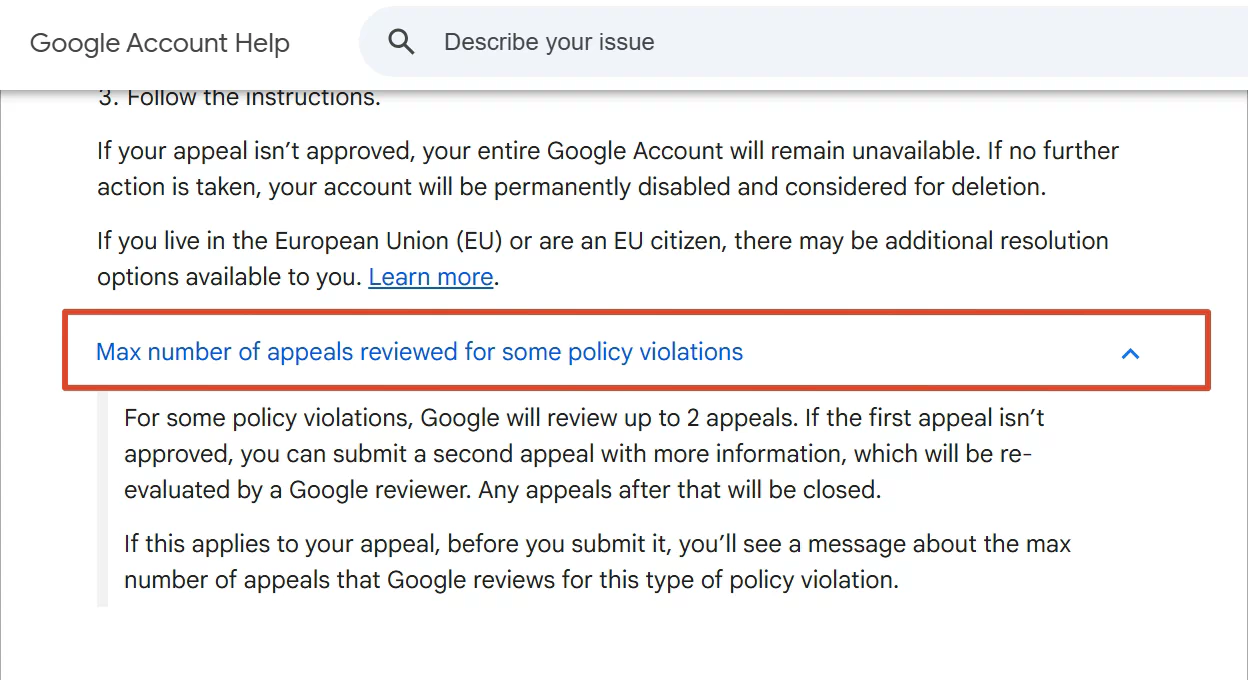
For some policy violations, Google reviews no more than two appeals. When this limit applies, Google displays a notice before submission. Treat each available review as a limited opportunity and include relevant information the first time.
What to Prepare Before Requesting a Review
Gather the information needed to explain the situation accurately:
- The affected email address.
- The complete error or policy message.
- A screenshot of the sign-in notice.
- The approximate date and time access stopped.
- Recent legitimate sign-ins, device changes, account updates, or travel that may be relevant.
- Security warnings or messages received from Google.
- A concise explanation of why you believe the restriction may be mistaken.
Do not include your password, one-time verification codes, or unnecessary identity documents. Keep copies of the appeal and Google’s responses so that a later submission can add new information rather than repeat the first one.
A Simple Appeal Structure
A useful appeal is short enough to review and specific enough to verify:
- Identify the affected account and quote the notice.
- State that you are the account owner or authorized user.
- Explain the relevant legitimate activity in chronological order.
- Mention any compromise, security alert, device change, or administrative issue that may have contributed.
- Ask Google to review the decision.
Avoid emotional pressure, unsupported theories, copied appeal templates, and claims that cannot be verified.
Can You Download Data From a Disabled Account?
Possibly. Google says that some users may see an option to download data after attempting to sign in normally. Availability depends on the account and the reason for the action.
Data download may be unavailable in certain cases, including valid legal requests, account hijacking, and serious content violations. An unavailable download option does not necessarily mean that a different recovery form exists.
Managing Multiple Accounts Without Mixing Sessions
Organizations sometimes have legitimate reasons to manage several accounts, including separate client, regional, testing, or staff-owned accounts. The important controls are authorization, clear ownership, consistent access policies, and compliance with Google’s rules. A tool should support that process, not be used to hide prohibited activity or evade enforcement.
For authorized workflows, you can use the FlashID anti-detect browser to create separate browser profiles so that cookies, sessions, and workspace access do not become mixed between accounts. If the operation also requires an approved, consistent network setup, FlashIP provides proxy options that can be assigned according to the team’s access policy.
If you want to know more specific operations, see Create and use profiles in FlashID
Neither FlashID nor FlashIP can restore a disabled Google Account, guarantee account safety, or override Google’s policies. Use Google’s official appeal path for an existing disablement.
FAQ
Why was my Google Account disabled without a specific reason?
The initial status message may be broad. Sign in through an official Google page and record the complete explanation shown there. Also determine whether the whole account is disabled or only one service is restricted. Google does not always disclose the exact activity or detection signal involved.
How do I appeal a disabled Google Account?
Sign in to the affected account in a browser, select Start Appeal if it is available, and follow the account-specific instructions. Describe relevant facts and legitimate activity without guessing or copying someone else’s appeal.
How many times can I appeal?
It depends on the violation and the notice. Google states that some policy violations have a limit of two reviewed appeals. If that limit applies, the appeal flow should display a warning. Do not assume that unlimited resubmissions are available.
Is a disabled account the same as a locked account?
Not necessarily. A login challenge, failed two-step verification, forgotten password, or temporary security lock may block access without being an account-level disablement. The wording of the sign-in notice and the recovery option shown are the best indicators.
What should I do if a work or school Google Account is disabled?
Contact the organization’s Google Workspace administrator or IT support team. The administrator may have suspended the account or may need to investigate a security alert. Personal-account appeal instructions may not apply to a managed account.
Can a proxy or a new browser profile restore my disabled Google Account?
No. A proxy changes the network connection, and a browser profile separates local browser data and sessions. Neither one reverses Google’s enforcement decision. Use the official recovery or appeal option shown for the account.
Can I retrieve my data if the appeal is rejected?
Google may offer a data-download option when you attempt to sign in, but it is not available for every account or every reason for disablement. If the option appears, follow Google’s instructions and preserve the files you are allowed to export.