


A proxy IP can connect successfully and still perform poorly in real-world use. Its reputation, network type, location accuracy and connection stability may affect whether websites return the expected content or trigger additional verification.
This can affect public data collection, local SERP tracking, price monitoring and ad verification. Before using a proxy, check whether it works well for both the target website and your task.
Quick Answer
To check whether a proxy is clean, review its reputation and fraud score, ASN and network type, blacklist status, location consistency, and connection stability. You can use IPFighter to review an IP’s reputation, proxy status, ASN and location details, and use DNSChecker’s IP Blacklist Checker to check blacklist records. You should also test the proxy on your target website.
For stable cross-region workflows, FlashIP offers a 90M+ proxy pool across 195+ countries and regions, with residential, mobile, ISP and datacenter options. Choose the proxy type, location and session mode that fit your task.
What Is Proxy IP Quality?
When people ask whether a proxy is good, they usually mean: will it work reliably for my task?
Proxy IP quality describes how reliable and usable an IP is in a particular situation. A proxy with a good reputation is less likely to trigger extra checks, while a lower-quality IP may lead to CAPTCHAs, blocked requests or slower access.
These factors provide a practical basis for evaluating an IP quality proxy and learning how to check if a proxy is clean before using it. These checks provide a practical way to learn how to check if a proxy is clean before using it for a specific task.
For a basic explanation of how proxy servers work, see What Is a Proxy?.
5 Key Metrics to Judge Proxy IP Quality
IP Reputation and Fraud Score
Reputation is a good place to start. It shows how security and anti-fraud systems view an IP and may reflect abuse reports, spam activity or suspicious traffic. You can review these signals with IPFighter.
Let’s review an example using a FlashIP proxy.
How to test:Get a FlashIP proxy → Connect to the proxy → Copy or identify the exit IP → Open IPFighter → Select IP Lookup → Enter the exit IP → Review the IP reputation score, proxy status and network details.
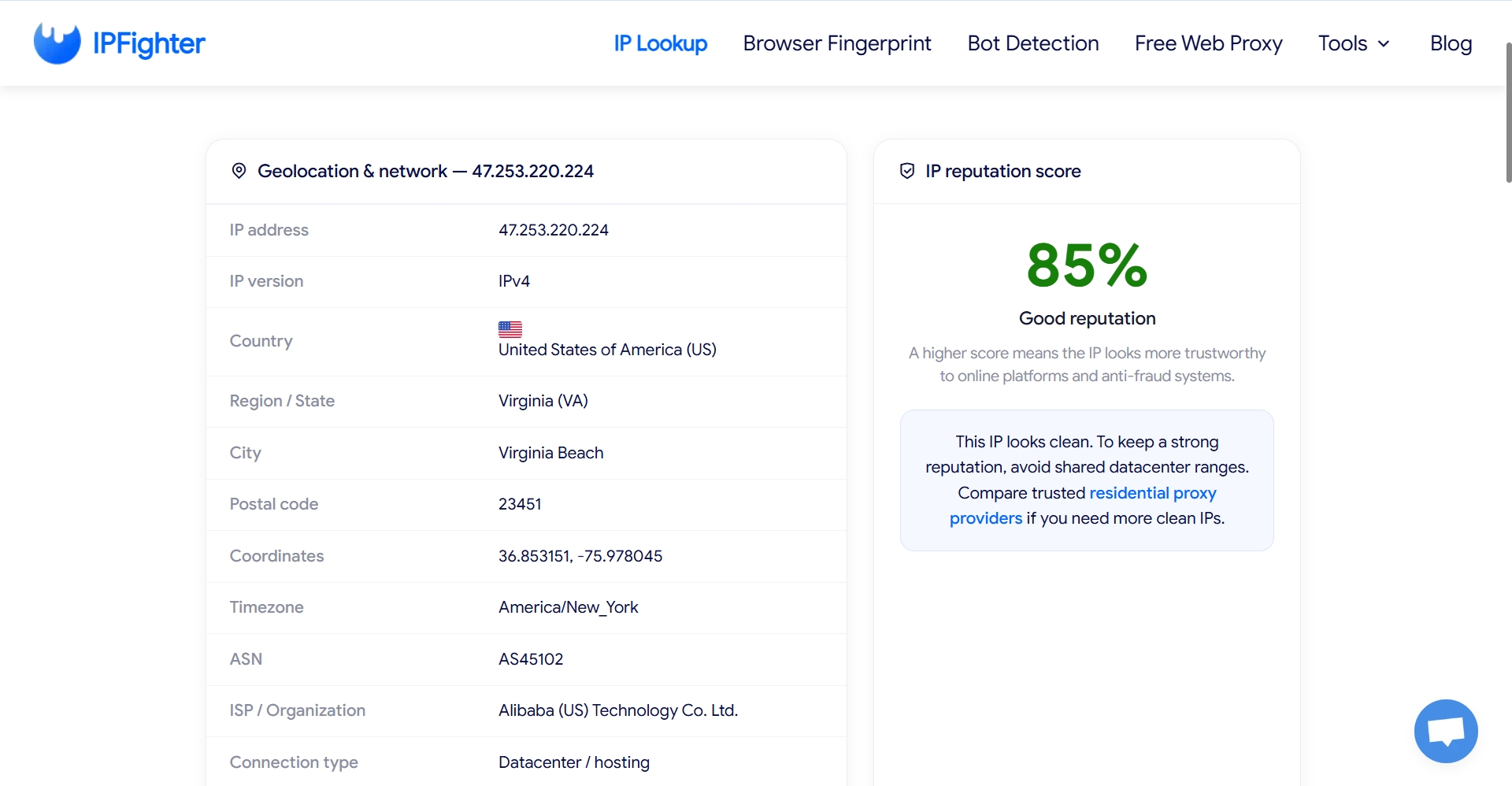
This FlashIP proxy receives an 85% reputation score on IPFighter and is labeled “Good reputation.” This is a positive result in the current check, although reputation alone cannot confirm how the IP will perform on every website.
ASN and Network Type
Every proxy IP belongs to an Autonomous System Number, or ASN, which identifies the network responsible for routing the IP range. Checking the ASN, ISP or organization and connection type helps you confirm whether the IP matches the proxy type advertised by the provider.
For example, an IP advertised as residential may require further review if the lookup result identifies it as a hosting or datacenter connection. This does not automatically mean that the IP is unusable, but it may affect how some websites evaluate the connection.
IP Blacklist Check
Another important characteristic of a clean proxy is that it does not appear on relevant IP blacklists. You can verify this with DNSChecker’s IP Blacklist Checker. Let’s check a FlashIP exit IP.
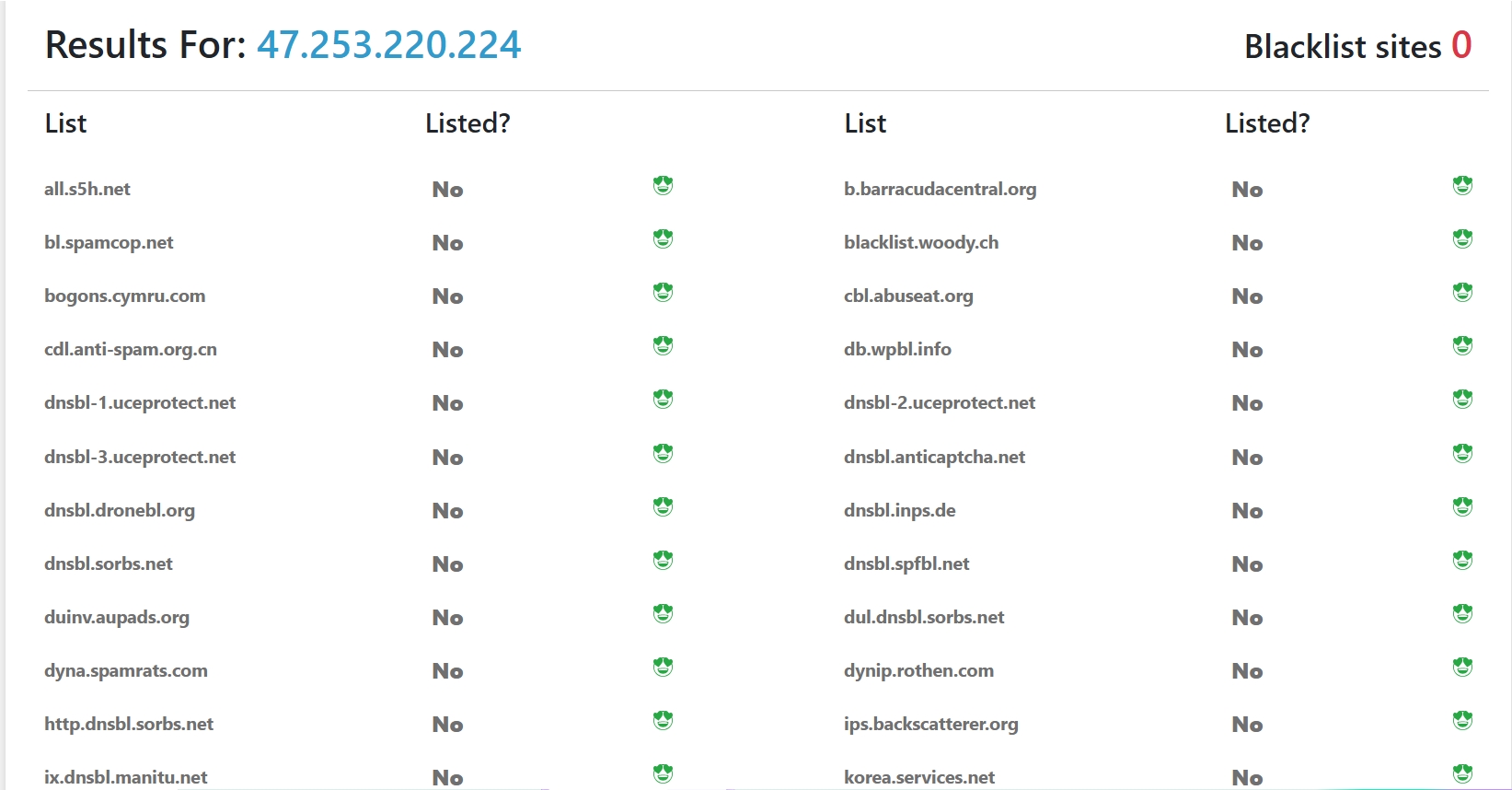
We’ll use the FlashIP IP 47.253.220.224 as an example. DNSChecker checks the address against multiple blacklist and reputation databases. If all results show “No”, it means the IP was not found on the databases checked at the time of testing. This gives us confidence that the FlashIP IP has no active blacklist record in the current check.
Geolocation and Timezone Consistency
A reliable proxy should show a location that matches the market you want to access. Check whether the reported country, region, city and IP-based timezone are consistent with one another and with your intended target location. This is especially important for localized SERP tracking, price monitoring and ad verification, where location mismatches can lead to inaccurate content or additional verification.
You should also compare the IP-based timezone with your browser’s timezone and language settings. If the IP points to one region but the browser environment suggests another, the inconsistency may create additional risk signals. Geolocation data is also an estimate, so city-level results should be treated as a useful reference rather than an exact physical location.
Latency and Connection Stability
A proxy IP can have a good reputation and the right location but still be unsuitable if the connection is slow or unstable. Latency affects how quickly requests receive a response, while connection stability determines whether requests complete without timeouts, failed handshakes or unexpected disconnections. These factors directly affect web scraping, SERP monitoring, price tracking and other tasks that depend on repeated requests.
To evaluate this metric, send several representative requests through the proxy and record the response time, success rate, timeout rate and page completeness. A single successful request does not show whether a proxy can support ongoing work. Testing multiple requests over a reasonable period gives you a clearer view of the connection’s consistency.
The fastest proxy is not always the best choice. The suitable connection depends on the target location, proxy type, session length and workload. For tasks that require repeated access, a stable connection and consistent session may be more important than the lowest possible latency.
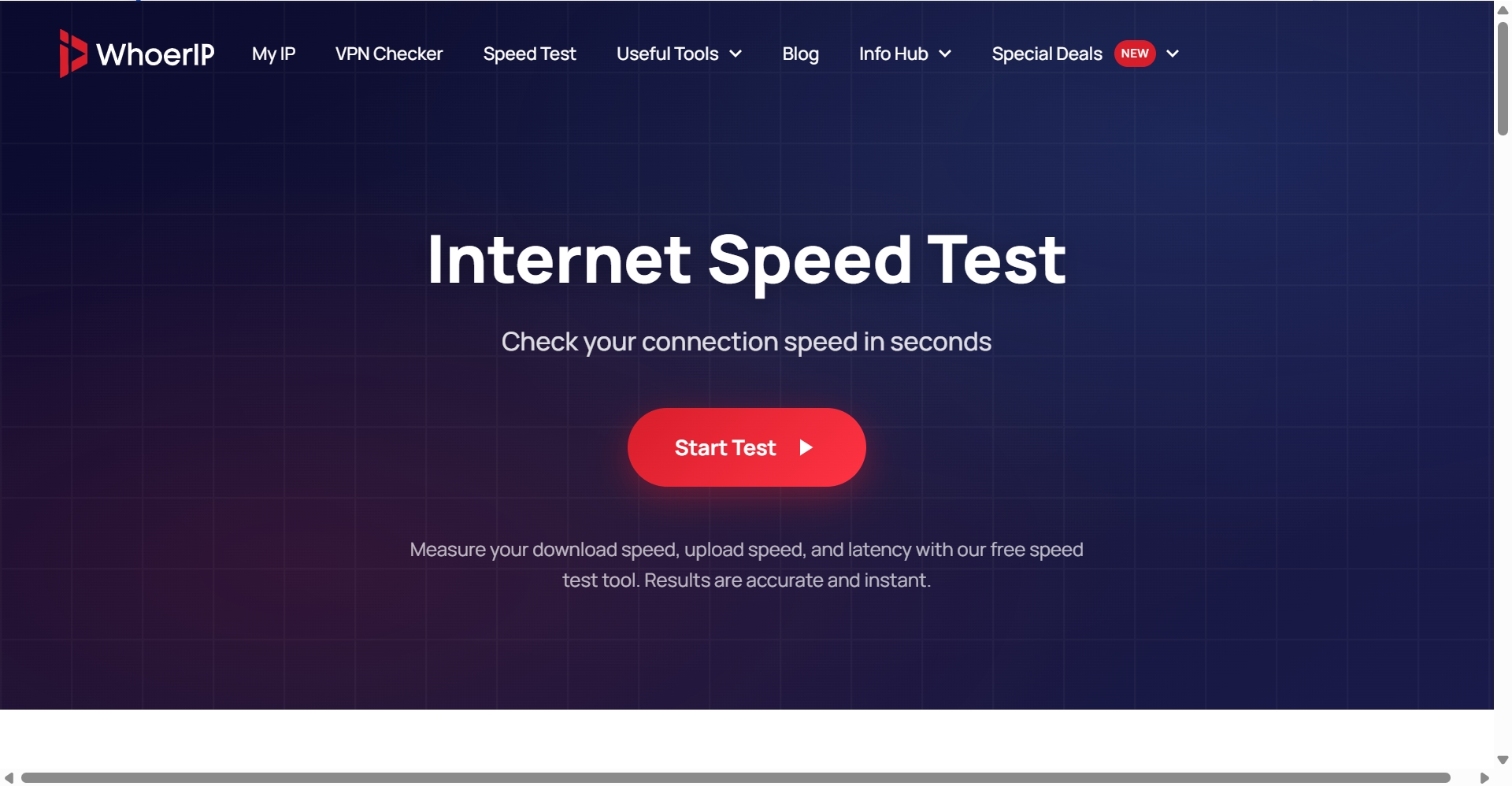
Connect to a FlashIP proxy → Open WhoerIP Speed Test → Click “Start Test” → Record Ping, Download, Upload and Jitter → Repeat the test several times
How to Check If a Proxy Is Clean
The most reliable way to check if a proxy is clean is to combine reputation, network, location and connection tests. Use the same exit IP throughout the process so that each result refers to the same connection.
| Step | What to check | What to look for |
|---|---|---|
| 1. Identify the exit IP | Confirm the IP that the target website sees | The exit IP is different from your original IP |
| 2. Check reputation and fraud score | Review the IP’s overall risk signals | A good reputation score with no major warnings |
| 3. Verify ASN and network type | Check the ISP, ASN and connection type | The network type matches the selected proxy |
| 4. Run an IP blacklist check | Check the IP against multiple blacklist databases | The IP is not listed in the databases checked |
| 5. Check location consistency | Compare the country, region, city and timezone with the target market | The location information is consistent and suitable for the task |
| 6. Test connection performance | Send several requests through the proxy | Acceptable response times, completed requests and no repeated timeouts |
These checks are a useful starting point. You should still send a few test requests to the target website and check the returned content, location and response time.
How Proxy Type Affects Proxy IP Quality
Proxy type affects how an IP is identified and how suitable it is for a specific workflow. However, the proxy type alone does not determine whether an IP is clean. A residential IP can still have a poor reputation, while a datacenter IP may work well for tasks that prioritize speed and predictable performance.
| Proxy type | How it may affect IP quality | Suitable for |
|---|---|---|
| Residential | Often provides a network identity associated with a household ISP and may be better suited to location-sensitive tasks | Localized SERP tracking, market research and price monitoring |
| Mobile | Uses a mobile carrier network and may provide a network context associated with mobile users | Mobile website testing, campaign checks and localized content review |
| ISP | Provides an ISP-associated IP that remains consistent during the allocation period | Store management, social media operations and recurring browser access |
| Datacenter | Usually offers faster and more predictable connections, but may be more easily identified as a hosting network | Automated testing, website monitoring and scheduled data collection |
How FlashIP Supports Stable and Quality Proxy Operations
Checking one IP only tells you how that connection performs at that moment. If you plan to use proxies regularly, the network behind the IP also matters. You need to consider location coverage, session settings, proxy types and tool compatibility.
This is where FlashIP’s network setup becomes relevant. It combines a large global proxy pool with flexible connection settings and regularly updated network information.
1. A Large and Global Proxy Pool
FlashIP provides a 90M+ proxy pool across 195+ countries and regions, including residential, mobile, ISP and datacenter proxies. You can select a target location through the global proxy network.
2. Flexible Location and Session Settings
You can choose a country, region or city, then use rotating IPs, sticky sessions or static ISP proxies according to your connection requirements.
3. Continuously Updated Network Information
FlashIP regularly updates its location, proxy type and network information. Its official location page currently lists 99.9% network uptime and an average response time below 0.6 seconds.
4. Easy Integration
You can configure FlashIP proxies in browsers, including the FlashID anti-detect browser, as well as scraping tools and automation platforms through standard authentication settings.
Conclusion
Knowing how to check if a proxy is clean requires more than looking at one score. Review its reputation, ASN, blacklist status, location and connection performance together, then test it on the website where it will be used.
The best choice also depends on the task. Residential proxies may be suitable for localized research, while Static ISP or datacenter proxies may work better for recurring access or speed-focused tasks.
FAQ
Can a clean proxy still be blocked?
Yes. A clean proxy can still be blocked if the target website uses strict access rules, detects unusual request patterns, identifies a location mismatch or applies rate limits. A clean IP reduces reputation-related risks, but it does not override a website’s own security policies.
Which proxy type is suitable for localized research?
Residential proxies are usually suitable for localized research because they provide IPs associated with local ISP networks and support country, region or city-level targeting. They can be used for localized SERP tracking, market research, price monitoring and regional content checks. Static ISP proxies may be more suitable when the same IP needs to be used repeatedly.
For a broader comparison of residential and datacenter proxies, see Residential vs. Datacenter Proxies: Which Should You Choose?.
Does FlashIP support rotating and sticky sessions?
Yes. FlashIP supports both rotating IPs and sticky sessions. Rotating sessions can provide a new IP for repeated requests, while sticky sessions keep the same IP for a defined period. You can choose the session mode based on whether your task requires IP diversity or connection consistency.
How often should you check a proxy IP?
You should check a proxy before deploying it and repeat the checks when the IP changes, the target website updates its security rules or connection performance declines. Periodic testing helps you identify changes in reputation, blacklist status, location data or stability.
What is the difference between IP reputation and an IP blacklist check?
IP reputation is a broader assessment of how trustworthy an IP appears based on factors such as abuse reports, spam activity and suspicious traffic. An IP blacklist check focuses on whether the address appears on specific DNSBL or security databases. An IP may have a good reputation score but still appear on one blacklist, so both checks are useful.
Why can two proxy IPs from the same provider perform differently?
Proxy IPs can have different histories, network types, locations and levels of previous use. Target websites may also apply different rules to different IP ranges. This is why one IP may work normally while another IP from the same provider triggers additional verification.
What information should you record when testing a proxy?
Record the exit IP, test time, country, city, ASN, network type, reputation result, blacklist status, response time and timeout rate. Keeping these details together makes it easier to compare different IPs and identify changes when the proxy is tested again.