

1 GB
Valid for 1 month$3.99/GB
$3.99 USD total
Start with 1 GB
Collect public web data through residential IPs in the markets that matter to you. Target a country, state or city, then rotate IPs per request or choose a sticky session for connected browsing tasks.
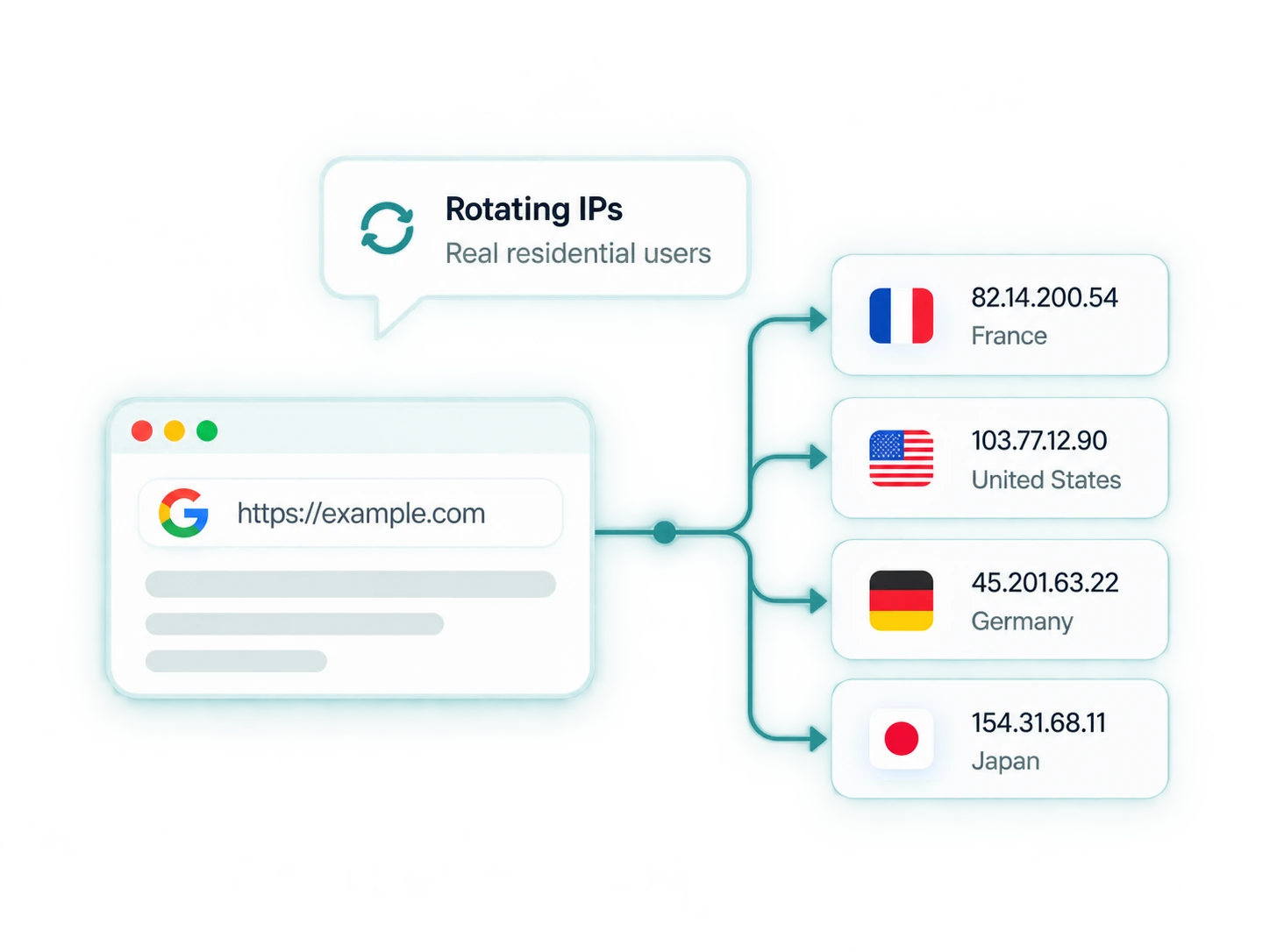
Start with 1 GB or plan for ongoing data collection.
Compare traffic volume, total cost and validity before choosing your package.
$3.99/GB
$3.99 USD total
Start with 1 GB
$3.20/GB
$19.99$15.99 USD total
20% OFF
$2.80/GB
$39.99$27.99 USD total
30% OFF
$2.00/GB
$199.99$99.99 USD total
50% OFF
$1.60/GB
$399.99$159.99 USD total
60% OFF
$1.00/GB
$3999.99$999.99 USD total
75% OFF
Talk to our team about your volume and target locations.
A residential proxy routes your requests through an IP associated with a home internet connection. The destination sees the residential exit IP instead of your direct connection. For web scraping and market research, this lets you work through residential connections in your selected locations while controlling when the exit IP changes.
Select a country, state or province, and city from the available locations. Compare regional prices, listings and search results at the level your research needs, instead of relying only on the view from your own connection.
Choose per-request rotation for independent collection tasks or a sticky session for a connected sequence. Four session durations let you match the connection to a short check or a longer browsing task.
Compare package volume, total cost and validity together. Start with a small sample to understand consumption, then select the amount of traffic you expect to use within the package period.
Use location targeting to research a specific market and session controls to match how your tool works. Independent page requests can use rotation; a sequence of related requests can use a sticky connection.
Request mode rotates the exit IP on each request. Use it when collecting separate public pages, comparing listings or refreshing a dataset without needing the same address between requests.
Choose 30, 60, 90 or 120 minutes when several requests belong to one browsing task. The default is 30 minutes. Session duration controls the proxy connection; your browser still manages cookies and login state.
Need a consistent allocated IP? Explore Static ISP Proxies. For server-hosted automation and testing, compare Datacenter Proxies.
Collect public data, compare regional prices and monitor search results with location and session settings chosen for the task.
Connect a compatible scraper to gather public product pages, listings or other research data. Use request rotation for independent pages and sticky sessions when collecting data involves a sequence of related requests.
Track search engine results for the keywords and locations relevant to your business. Compare which domains and listings appear over time to inform regional SEO research, while keeping browser language and search settings consistent.
Compare public prices, promotions and product availability in the markets you sell into. Revisit equivalent products on a defined schedule to identify changes that inform pricing and assortment decisions.
Explore public catalogs and landing pages across selected locations. Bring regional product ranges, positioning and offers into one research workflow before deciding where to investigate or expand.
Check how ads and their landing pages appear in your target locations. Review regional offers, language and destination pages before a campaign expands, keeping browser language and cookie settings consistent across checks.
Choose a sticky session when your task moves through several related pages. Keep the connection associated with that session while your browser handles navigation, cookies and the rest of the browsing state.
Use location controls to compare the markets your business serves. Select from the current region list and keep browser language and cookies consistent when reviewing local content.
Discuss your locationsConnect your browser, script or data tool using your proxy endpoint and credentials.
curl --proxy "PROTOCOL://PROXY_HOST:PROXY_PORT" \
  --proxy-user "USERNAME:PASSWORD" \
  "https://example.com/"
Replace the placeholders with your proxy connection details.
Packages start at $3.99 for 1 GB. The lowest displayed rate is $1.00/GB on the 1000 GB package, which costs $999.99 and has 12 months of traffic validity. Compare the package total and validity alongside the per-GB rate.
Request mode rotates the exit IP on each request. Sticky mode associates connected requests with a session for a selected duration: 30, 60, 90 or 120 minutes. Choose rotation for independent requests and sticky for multi-step browsing. Proxy sessions do not replace browser cookies or website login sessions.
Yes. Location selection supports countries, states or provinces, and cities from the available region list. Global selection is also available, and state or city choices can be left random. Availability depends on the current location list; this does not mean every city is always available.
Yes. Each package has its own traffic validity period, starting at purchase. Unused traffic expires at the end of that period. Check the validity shown with your package when planning usage.
Use a client that supports the protocol and username/password authentication supplied for your proxy connection. Configure the host, port and full credentials in that tool. The proxy provides the connection; your scraper or browser still handles rendering, extraction and session state.
No. Generated entries are connection configurations, not a guaranteed allocation of unique IPs. Request mode can produce identical connection strings because the exit rotates when requests are sent. Choose session behavior around the task rather than treating the number of strings as the size of an IP pool.
Choose residential when your project needs residential connections with location and rotation controls. Static ISP suits work that prioritizes a consistent allocated address. Datacenter proxies provide server-hosted connections for compatible automation and testing workflows.
Run a sample using the pages and tool you intend to use, and review its traffic consumption. Estimate how often the collection will run during the package period. Page assets and repeated requests can affect usage, so compare measured consumption with the traffic volume and validity before choosing a larger package.
Have another question? Talk to our team
Tell us what you’re building.
Share your target locations, traffic needs and session requirements.